Clipboard sign-out sheets get lost
Paper logs are easy to ignore and even easier to lose. By the time you need the information, the sheet is gone.
Founding Customer Program:3 months free, free onboarding — only 3 spots.
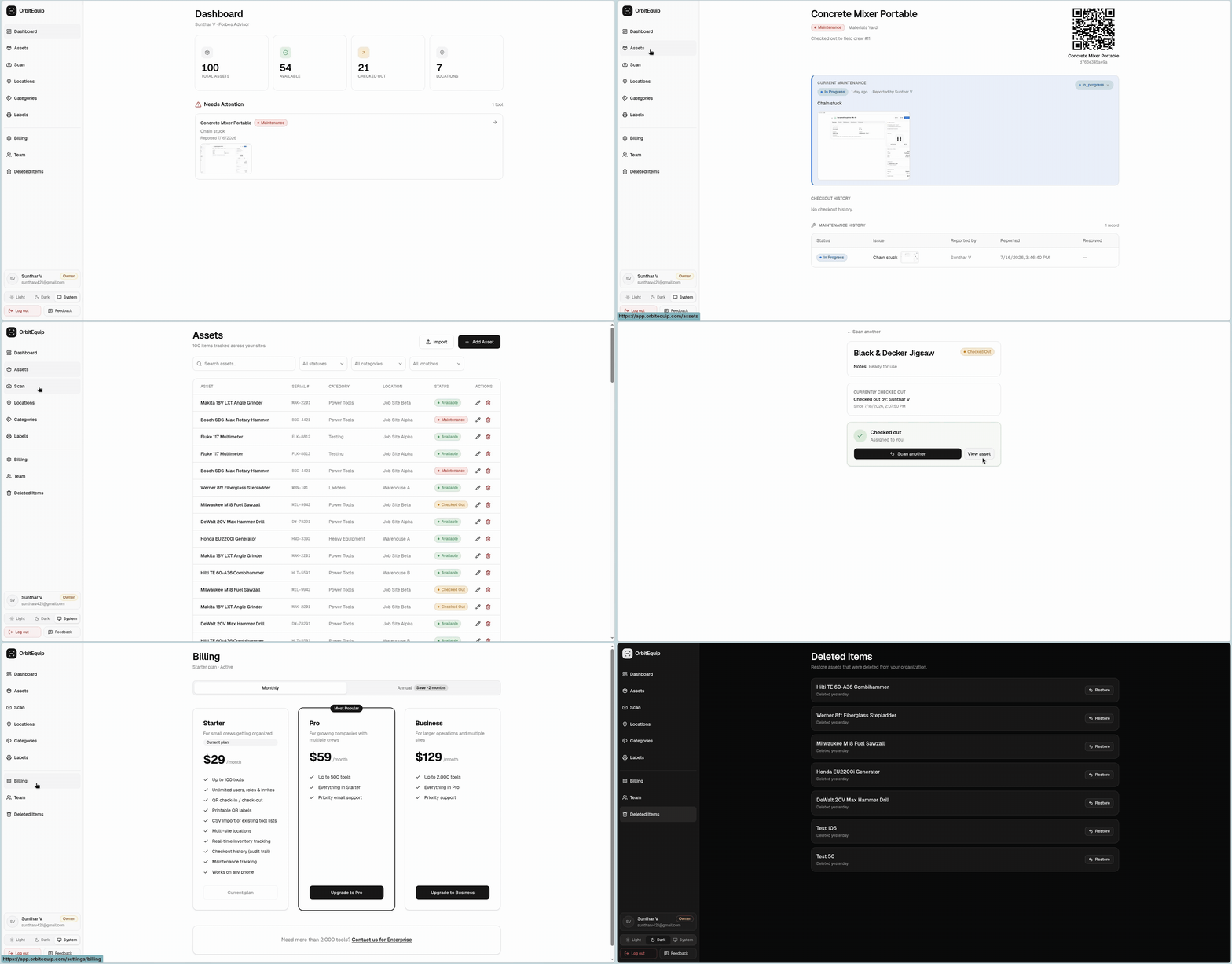
Print QR labels for your tools. Crews scan to check items in and out from any phone browser. No app, no training.
Paper logs are easy to ignore and even easier to lose. By the time you need the information, the sheet is gone.
Typing tool IDs into a spreadsheet takes time and nobody does it consistently during a busy workday.
Traditional barcode tracking requires dedicated scanners. That's extra cost and equipment to manage.
By the time data from paper or spreadsheets makes it to the office, it's already out of date.
Many teams think QR tracking requires special printers or software. OrbitEquip generates labels you print on any standard printer.
Field teams often push back on new technology. OrbitEquip's browser-based scanning has no app to download and takes seconds to learn.
OrbitEquip uses QR codes that any phone can scan. Generate labels for every tool, print them on standard adhesive paper, and attach. Crews open their phone browser, point the camera at the QR code, and check the tool out or in. That's it.
Print a QR label for every tool. Crews scan to check items out and back in from their phone. No paperwork, no spreadsheets.
See every tool, where it is, and who has it, across every jobsite and location in real time.
Report issues, track repairs, and never lose a tool to missed maintenance again.
No app to install. Runs in the browser, on any device, right from the field.
Name, category, serial number, location, and notes for each tool. Multi-site support keeps every jobsite organized.
Find any tool by name, serial, or QR code. Filter by status, category, or location in one click.
Full checkout and maintenance history for every tool. Know who checked it out, when it was returned, and what issues were logged.
Invite team members by email. Set owner, admin, and worker roles. Unlimited users on every plan.
Most teams are tracking tools the same afternoon they sign up.
Build your inventory in minutes, or import a CSV spreadsheet to seed it.
Generate a scannable label for every tool, all at once.
Crews scan to check tools in and out. You see everything in real time.
No. Print QR labels on any standard printer using adhesive label sheets. For outdoor or heavy-use tools, weatherproof labels are available at any office supply store.
Every tool also has a short alphanumeric code that can be typed in manually. You can print a replacement label from the tool's record at any time.
Scanning a QR code shows the tool's basic info (name, status, organization) without requiring login. To check a tool in or out, crew members need to sign into their account.
Scanning requires an internet connection. If you're in a remote area, crew members can note the tool's manual code and enter it later when they have service.
There's no limit on the number of tools. Each tool gets its own unique QR code. You can add as many as you need.
14-day free trial, set up in minutes. No credit card required.