No history of repairs
Without tracking, you don't know which tools are reliable and which keep breaking. You end up sending faulty equipment to the field.
Founding Customer Program:3 months free, free onboarding — only 3 spots.
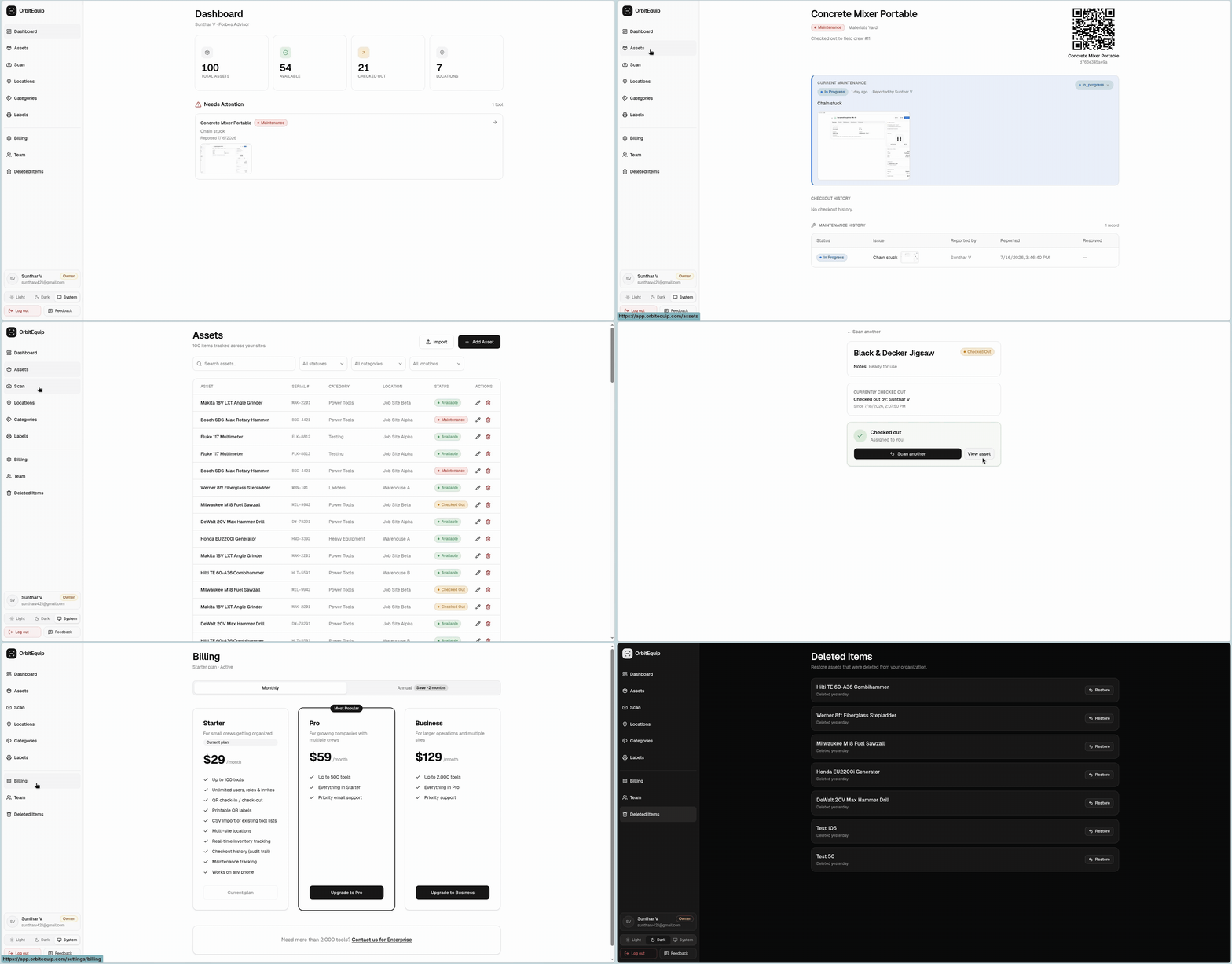
Log maintenance issues when tools come back. Track repairs, schedule service, and never send a broken tool to the field again.
Without tracking, you don't know which tools are reliable and which keep breaking. You end up sending faulty equipment to the field.
Calibration dates, oil changes, and service intervals are missed when they depend on someone's memory or a paper log.
A tool gets checked in with damage, nobody flags it, and it gets checked out to the next unsuspecting crew.
Without preventive maintenance tracking, equipment wears out faster and needs costly early replacement.
When the same tool breaks repeatedly, you need a history to identify the pattern. OrbitEquip logs every issue on the tool's permanent record.
Waiting for something to break before fixing it costs more in downtime and repairs. Tracking maintenance issues during check-in helps you get ahead of failures.
OrbitEquip links maintenance tracking to your existing check-in/out workflow. When a tool is checked in, crew can report damage or issues. Each tool has a maintenance history. You can see which tools are serviceable and which are down for repairs.
Print a QR label for every tool. Crews scan to check items out and back in from their phone. No paperwork, no spreadsheets.
See every tool, where it is, and who has it, across every jobsite and location in real time.
Report issues, track repairs, and never lose a tool to missed maintenance again.
No app to install. Runs in the browser, on any device, right from the field.
Name, category, serial number, location, and notes for each tool. Multi-site support keeps every jobsite organized.
Find any tool by name, serial, or QR code. Filter by status, category, or location in one click.
Full checkout and maintenance history for every tool. Know who checked it out, when it was returned, and what issues were logged.
Invite team members by email. Set owner, admin, and worker roles. Unlimited users on every plan.
Most teams are tracking tools the same afternoon they sign up.
Build your inventory in minutes, or import a CSV spreadsheet to seed it.
Generate a scannable label for every tool, all at once.
Crews scan to check tools in and out. You see everything in real time.
When a tool is checked in, the crew member can optionally report an issue — damage, wear, calibration needed, etc. The issue is attached to the tool's record and visible to managers.
You can add notes and dates to each tool's record for scheduled maintenance. The system logs all completed maintenance for reference.
Yes. Filter tools by maintenance status to see everything that's down for repairs, awaiting parts, or out for calibration.
Maintenance tracking is event-driven — issues are logged during check-in. For calendar-based reminders, you can pair OrbitEquip with your existing maintenance scheduling tools.
14-day free trial, set up in minutes. No credit card required.