Chromebooks and iPads go missing
Students forget to return devices, they get misplaced between classrooms, or they walk out the door. Without tracking, they're gone.
Founding Customer Program:3 months free, free onboarding — only 3 spots.
Know where every Chromebook, iPad, and piece of school equipment is at all times. Track check-outs with a simple scan.
Students forget to return devices, they get misplaced between classrooms, or they walk out the door. Without tracking, they're gone.
Paper logs get lost, students forget to sign, and teachers don't have time to chase down every device.
Collecting and counting hundreds of devices manually takes days. Discrepancies are common and hard to resolve.
Every lost device that has to be replaced is money that could have been spent on better technology for students.
Devices move between rooms, grade levels, and buildings. Without a central system, tracking down a single Chromebook feels like a scavenger hunt.
End-of-year device collection from hundreds of students is a logistical nightmare. Without check-in tracking, devices get lost in the summer shuffle.
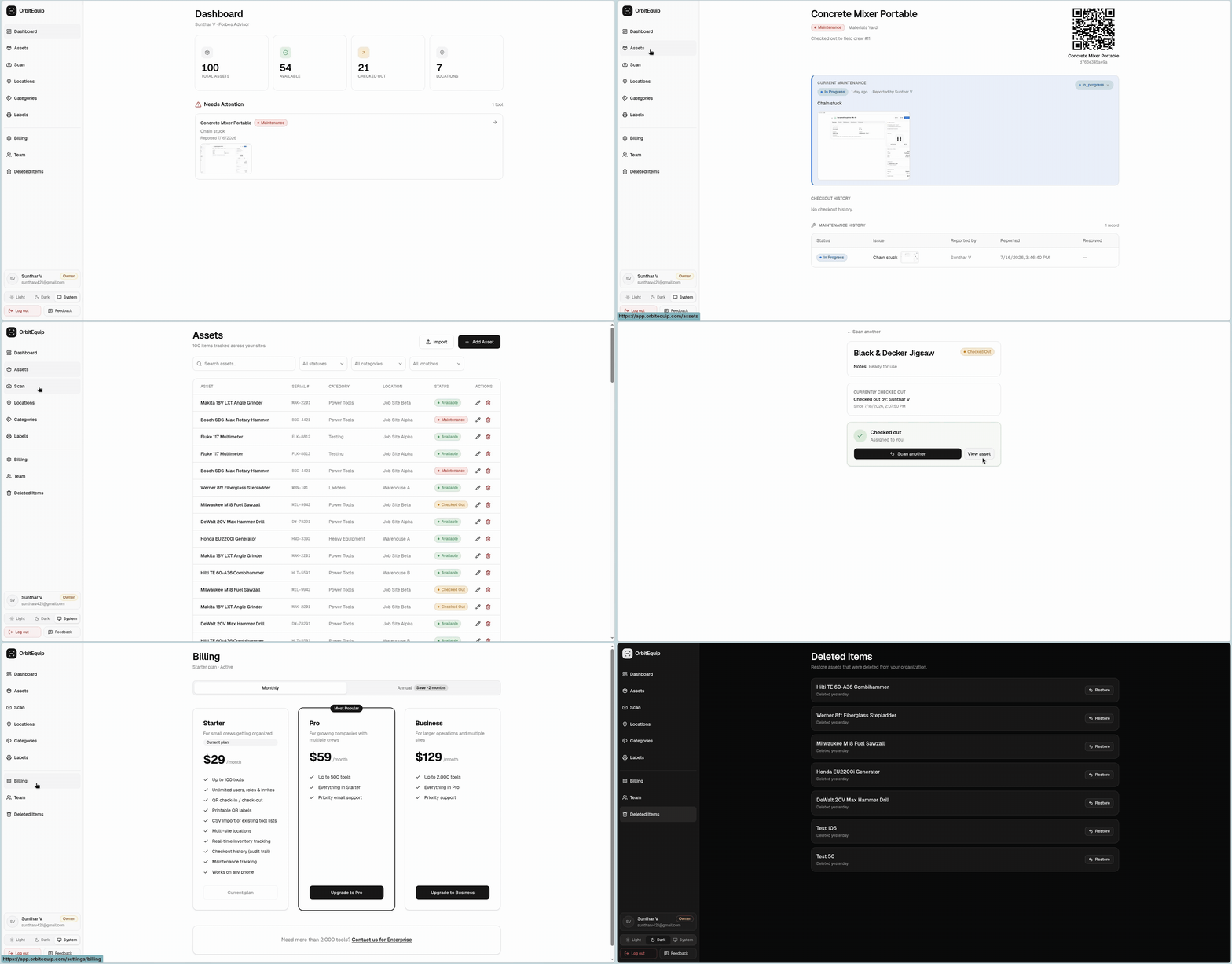
OrbitEquip gives schools a simple way to track assets. Print QR labels for Chromebooks, iPads, projectors, and equipment. Students and staff scan to check items out and in. Real-time visibility for IT administrators from any browser.
Print a QR label for every tool. Crews scan to check items out and back in from their phone. No paperwork, no spreadsheets.
See every tool, where it is, and who has it, across every jobsite and location in real time.
Report issues, track repairs, and never lose a tool to missed maintenance again.
No app to install. Runs in the browser, on any device, right from the field.
Name, category, serial number, location, and notes for each tool. Multi-site support keeps every jobsite organized.
Find any tool by name, serial, or QR code. Filter by status, category, or location in one click.
Full checkout and maintenance history for every tool. Know who checked it out, when it was returned, and what issues were logged.
Invite team members by email. Set owner, admin, and worker roles. Unlimited users on every plan.
Most teams are tracking tools the same afternoon they sign up.
Build your inventory in minutes, or import a CSV spreadsheet to seed it.
Generate a scannable label for every tool, all at once.
Crews scan to check tools in and out. You see everything in real time.
Yes. Each Chromebook gets its own record with serial number, model, location, and notes. Students scan the QR label to check it out and back in.
Teachers or librarians can check devices out on behalf of students from any device. Each tool also has a short code that can be typed manually.
Yes. Create folders or locations for each classroom, grade level, or department. Filter and search across the whole school.
OrbitEquip tracks equipment, not student data. Tool records contain device information only. For specific compliance questions, please contact us.
Absolutely. Anything you can put a QR label on — textbooks, microscopes, sports equipment, band instruments — can be tracked with the same system.
14-day free trial, set up in minutes. No credit card required.