No single view of inventory
Tools are spread across multiple jobsites, storage trailers, and gang boxes. Nobody has a complete picture of what's where.
Founding Customer Program:3 months free, free onboarding — only 3 spots.
Know exactly what tools you have and where they are. Track inventory across all your jobsites with simple QR scanning.
Tools are spread across multiple jobsites, storage trailers, and gang boxes. Nobody has a complete picture of what's where.
Without accurate inventory data, you either buy tools you already have or run out mid-project.
Brand new tools get pulled from inventory and vanish onto jobsites without being recorded.
Manually counting and reconciling tools across every site takes days. Discrepancies are common and hard to resolve.
Foremen grab tools from other sites when they're in a pinch. Without logging transfers, you lose track of where everything ended up.
Tool inventory spreadsheets are outdated the moment they're saved. By the time someone updates the file, tools have already moved.
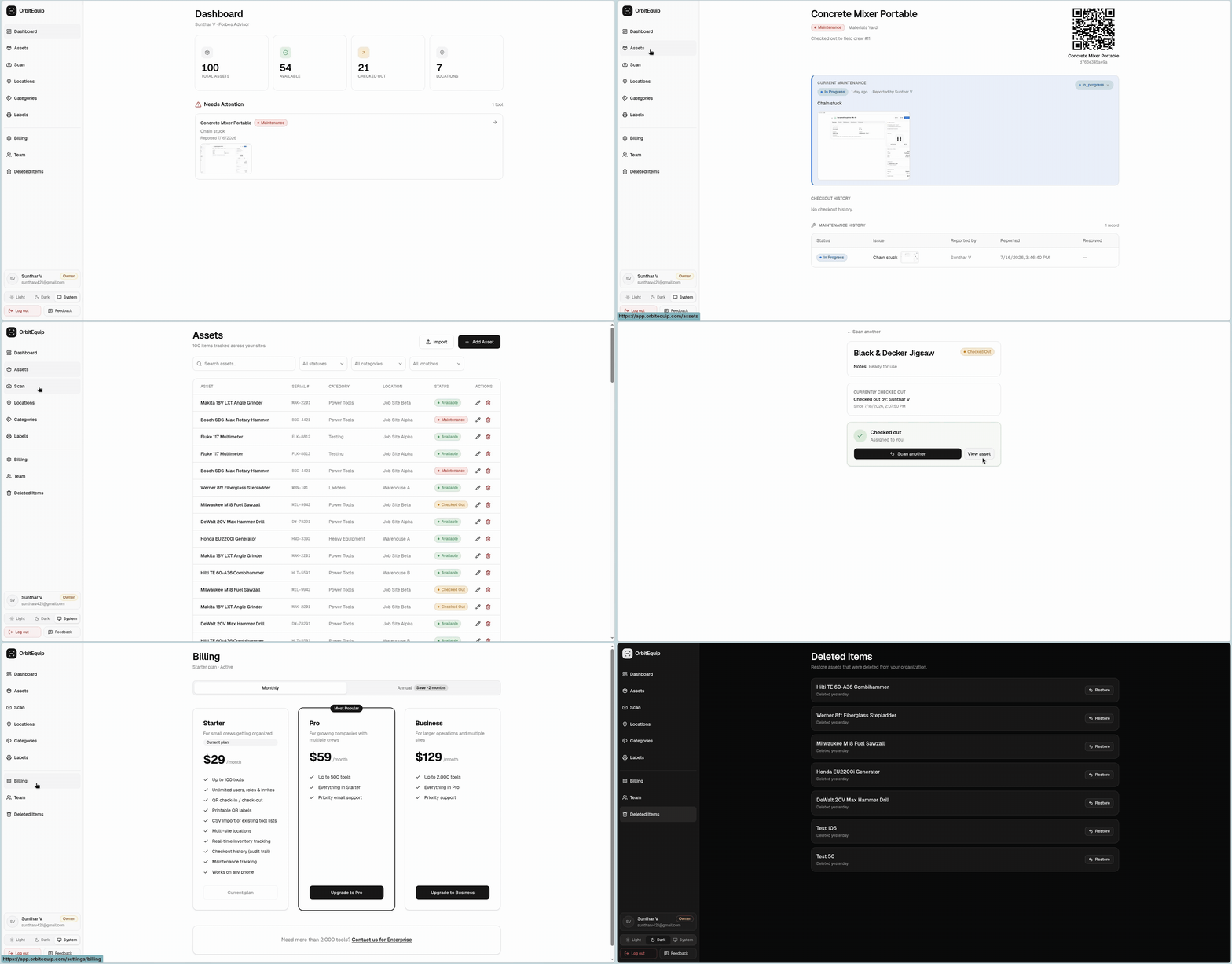
OrbitEquip gives you real-time tool inventory across all your construction sites. Every check-out and return is logged with a QR scan. See your complete inventory from any browser. No spreadsheets, no manual counts.
Print a QR label for every tool. Crews scan to check items out and back in from their phone. No paperwork, no spreadsheets.
See every tool, where it is, and who has it, across every jobsite and location in real time.
Report issues, track repairs, and never lose a tool to missed maintenance again.
No app to install. Runs in the browser, on any device, right from the field.
Name, category, serial number, location, and notes for each tool. Multi-site support keeps every jobsite organized.
Find any tool by name, serial, or QR code. Filter by status, category, or location in one click.
Full checkout and maintenance history for every tool. Know who checked it out, when it was returned, and what issues were logged.
Invite team members by email. Set owner, admin, and worker roles. Unlimited users on every plan.
Most teams are tracking tools the same afternoon they sign up.
Build your inventory in minutes, or import a CSV spreadsheet to seed it.
Generate a scannable label for every tool, all at once.
Crews scan to check tools in and out. You see everything in real time.
Yes. Create locations for each jobsite, storage trailer, or warehouse. Move tools between locations and see everything organized by site.
Import a CSV file with your tool names, categories, and locations. OrbitEquip maps the columns automatically. Most crews import hundreds of tools in under a minute.
Yes. Invite subcontractors or project partners as users. Control their access level — they can scan and check tools without seeing your full system settings.
OrbitEquip is designed for trackable assets that you check in and out. For bulk materials, a traditional inventory system may be more appropriate.
14-day free trial, set up in minutes. No credit card required.