Last researched: October 2, 2026
Best Tool Tracking Software in 2026: Which Type Fits Your Crew?

By SuntharFounder of OrbitEquip
The best tool tracking software depends on what you are actually trying to track.
If the main question is “Who has this tool?”, QR or barcode check-in/check-out may be enough.
If you need to know where a tool was assigned or last handled, you need stronger inventory and location records.
If you need to know where equipment physically is without waiting for someone to scan it, you need Bluetooth, GPS, RFID, or another hardware-assisted approach.
And if tool tracking is only one part of purchasing, maintenance, job costing, warehouse operations, and ERP workflows, a larger construction asset platform may be the better choice.
Here are seven products worth comparing for those different requirements.
Disclosure:OrbitEquip publishes this guide and is one of the products compared. The “best for” recommendations are our analysis of each product's current documented capabilities and intended workflow, not independent hands-on test results. Competitor pricing and capabilities were researched primarily from official vendor sources. We explicitly identify situations where another product is a better fit than OrbitEquip.
| Product | Our best-fit assessment | Tracking approach | Public starting price* | Key reason to consider it | Important limitation |
|---|---|---|---|---|---|
| OrbitEquip | Contractors needing QR custody, due-back accountability and maintenance schedules | QR custody plus optional manufacturer-barcode identification/search | Free for 25 tools; $15/mo for 500 | Free CSV import and fixed reports; Starter+ adds filtered CSV export, new audits and schedules, and maintenance reminder emails | No GPS or offline mode; no broader work-order/CMMS workflows |
| ShareMyToolbox | Contractors needing peer-to-peer tool loans and broader field-sharing workflows | QR/barcode with GPS captured on scans | Free up to 100 tools; 14-day Business trial; paid from $100/mo + connections | Employee loans, kits, quantity inventory, maintenance/calibration reminders and native apps | Paid access is based on admin and employee connections; confirm seat mix and current price |
| GoCodes | Teams wanting QR tracking plus optional hardware tracking | QR, GPS, Bluetooth, RFID/NFC | $500/year for 200 assets | Multiple tracking technologies in one platform | More expensive and advanced capabilities can add cost |
| AssetTiger | Teams wanting broad asset management at low asset-based pricing | QR/barcode | $20/mo for 500 assets | Extensive asset-management features with unlimited paid users | Broader than a contractor-specific tool-handoff workflow |
| Sortly | Teams tracking tools alongside parts, supplies and inventory | QR/barcode | Free; Advanced $49/mo monthly | Strong visual/general inventory management and offline mobile access | Paid tiers have relatively low user limits |
| ToolWatch by AlignOps | Larger contractors connecting tools to wider construction operations | Barcode plus GPS/Bluetooth capabilities | Contact vendor | Deep inventory, maintenance, purchasing and operational workflows | Likely excessive for a simple tool-custody problem |
| Hilti ON!Track | Construction firms wanting software plus connected tool tags | Datamatrix/barcodes + Bluetooth options | Contact Hilti | Construction-focused software and hardware ecosystem | Hardware and subscription requirements add complexity and cost |
*Prices checked October 2, 2026. Promotional annual prices may differ from normal monthly rates.
Need straightforward QR check-in/out?
Try OrbitEquip free with up to 25 tools
Unlimited users, no credit card, browser-based scanning.
First, decide what “tracking” means
Products described as tool tracking software often solve very different problems.
Understanding that difference can eliminate half the shortlist before you compare individual features.
1. “Who has the tool?”
This is primarily a custody and accountability problem.
For example, an electrician scans a label before taking a cable tester. The software records that the tester is checked out and who has it. When the tester comes back, it is checked in again.
A QR or barcode system can handle this without continuously tracking the physical location of the tool.
OrbitEquip, ShareMyToolbox, GoCodes, and AssetTiger can all support forms of this workflow.
2. “Which site, van, or warehouse is this assigned to?”
This is an inventory/location-management problem.
As a company grows, useful capabilities can include:
- Multiple locations;
- Transfers;
- Search and filters;
- Checkout history;
- Inventory audits;
- Reservations;
- Reporting;
- Maintenance records.
Broader products such as AssetTiger and ToolWatch go considerably further in these areas than a narrow checkout application.
3. “Where is this tool physically located?”
This is a different requirement.
A printed QR custody label cannot transmit its own location. Someone has to scan or update the asset for the recorded tool information to change.
If you need location data without depending entirely on manual scans, investigate hardware-assisted tracking.
GoCodes, for example, offers several distinct technologies:
- QR codes for intentional smartphone scanning;
- NFC/RFID for identification and controlled scanning;
- Bluetooth beacons for automatic nearby detection;
- Cellular GPS trackers for recurring location updates.
These technologies are not interchangeable. Their range, hardware requirements, battery requirements, and costs differ.
Hilti ON!Track also offers Bluetooth smart tags for construction equipment, while ToolWatch can incorporate GPS and Bluetooth information alongside barcode-based asset records.
4. “Do we need an operations platform, not just a tracker?”
Some buyers eventually need tool tracking to connect to:
- Service schedules;
- Work orders;
- Purchasing;
- Requests;
- Billing;
- Job costing;
- Telematics;
- ERP/accounting software;
- Warehouse processes.
At that point, choosing solely for easy QR checkout may create another migration later.
ToolWatch illustrates the other end of the category. Its higher tiers extend tool and equipment management into service schedules, work orders, purchase orders, field requests, billing, equipment usage, workflow building, integrations, and enterprise reporting.
For a small electrical contractor that mainly wants an answer to “Who took the rotary hammer?”, that may be unnecessary.
For a much larger contractor coordinating warehouses, purchasing, service and thousands of assets, the additional depth can be the reason to buy it.
How we compared these products
We selected products that represent materially different approaches to tool tracking rather than filling the list with near-identical applications.
We evaluated:
- Intended customer/workflow;
- QR and barcode capability;
- Check-in/check-out;
- Automatic vs scan-dependent location tracking;
- Asset and user limits;
- Multiple locations;
- Maintenance;
- Offline operation;
- Integrations;
- Hardware requirements;
- Public pricing;
- Important limitations.
Competitor facts and prices were rechecked against official vendor sources on October 2, 2026.
We did not claim hands-on experience with products we have not personally tested, and we do not use an arbitrary numerical scoring system to make OrbitEquip appear first.
Official sources checked
- ShareMyToolbox pricing and trial and product FAQs
- GoCodes pricing and tool-tracking overview
- AssetTiger pricing
- Sortly pricing
- AlignOps pricing and ToolWatch tiers, plus recurring service-plan documentation
- Hilti ON!Track AI T320 smart tag
Vendor pages, prices, plan limits and features can change. Reconfirm details before making a purchasing decision.
OrbitEquip: Our pick for simple QR custody tracking
Bottom line
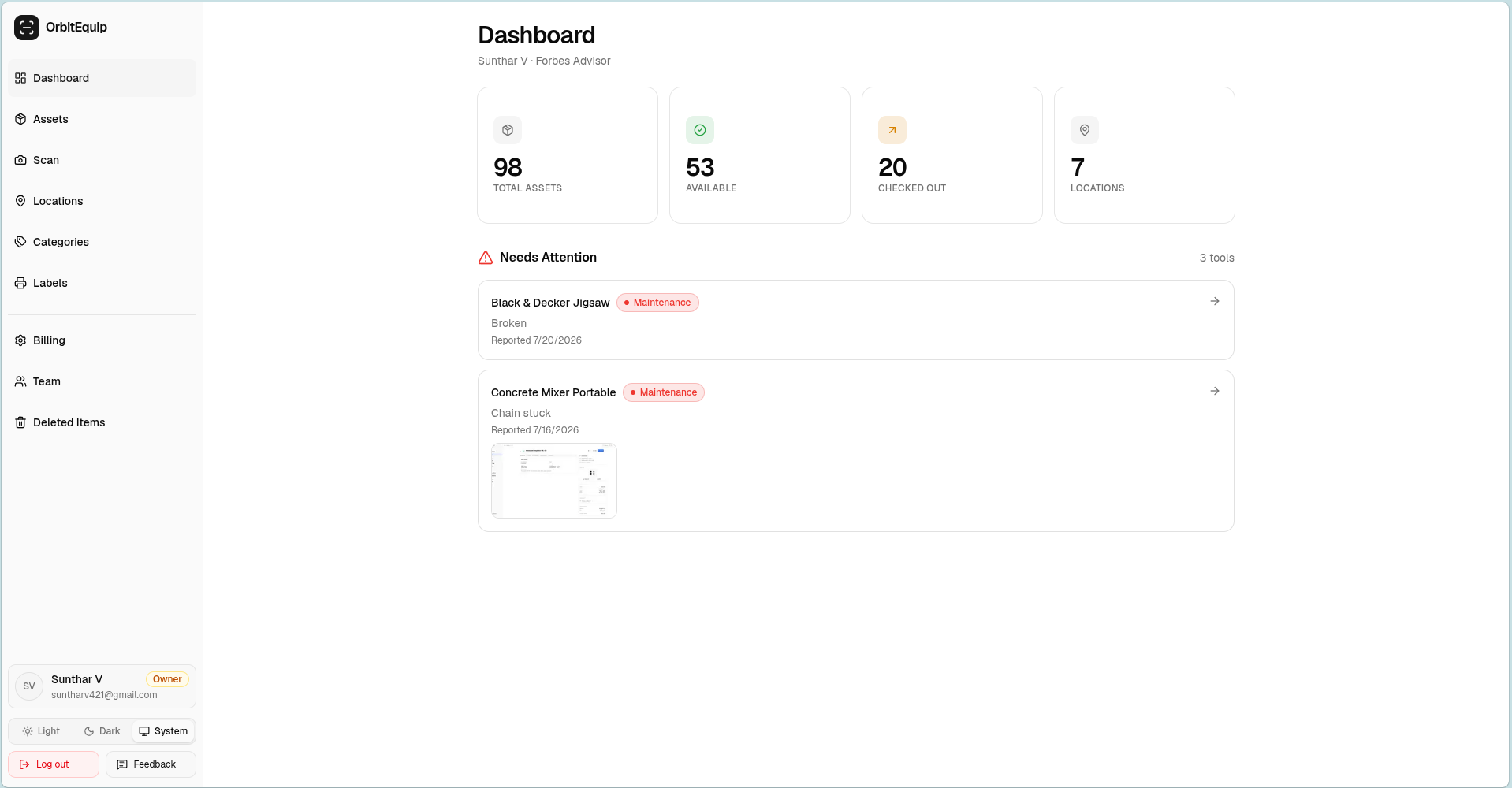
OrbitEquip is designed for small and midsize teams that mainly need a simple record of who has each serialized tool and where it belongs.
Its current combination of browser-based QR scanning, check-in/out, unlimited users, printable labels, locations, history, and low asset-based pricing makes it worth evaluating when this is the central problem.
OrbitEquip is a new product, however, and product-market fit has not yet been established through a large base of paying customers or independent reviews. Buyers needing mature enterprise functionality should weigh that alongside its lower price and narrower scope.
What OrbitEquip currently does
OrbitEquip supports:
- Individual tool records, categories and assigned locations;
- OrbitEquip QR labels and browser-based check-in/check-out;
- Current holder, status and checkout history;
- Optional return due dates, overdue visibility and checkout reminder emails;
- Reactive maintenance issues with photos and open, in-progress or resolved status;
- One-time planned maintenance and recurring preventive-maintenance schedules with pause/resume and next occurrences;
- One private primary asset photo;
- Optional existing/manufacturer barcode identification, search, CSV mapping and authenticated lookup;
- Search and filters, multiple team roles, and CSV import on Free within the 25-asset limit.
The QR scan route opens in a phone browser for signed-in team members, so a worker does not need to install a native OrbitEquip mobile app to use the scan workflow.
This follows OrbitEquip's deliberately narrow product model:
scan → assign → set due back when needed → follow up when overdue → maintain → check it back in
Where OrbitEquip is intentionally narrower
OrbitEquip currently does not provide:
- Continuous GPS, BLE, RFID or NFC tracking;
- Offline-first operation or a native OrbitEquip mobile app;
- Reservations;
- Purchasing, ERP/accounting integrations or quantity/consumable inventory;
- Generalized work-order or full CMMS workflows;
- Formal calibration-compliance workflows;
- Advanced business-intelligence reporting.
OrbitEquip V2 is generally available. Free includes CSV import within the 25-asset limit, checkout reminders, reactive issue reporting, one-time planned maintenance, five fixed operational reports, and the ability to view audit history and continue existing audits and recurring schedules. An active Starter-or-higher subscription adds filtered CSV export, starting new physical audits, creating new recurring schedules, and Maintenance Reminder Emails. OrbitEquip is not a generalized CMMS and does not provide work-order, parts or calibration-compliance management.
OrbitEquip pricing
| Plan | Monthly price | Tool limit |
|---|---|---|
| Free | $0 | 25 |
| Starter | $15 | 500 |
| Pro | $35 | 2,500 |
| Business | $70 | 10,000 |
| Enterprise | Custom | Custom |
Paid plans use an unlimited-user model.
OrbitEquip includes a permanent Free plan for up to 25 tools.
Consider OrbitEquip if...
Your requirement sounds like:
“We mainly need crews to scan tools in and out so we can see who has what.”
It is especially worth comparing when many employees need access and you want to avoid per-seat pricing.
Choose something else if...
Your requirement sounds like:
“I need to locate an asset automatically even if nobody scans it.”
A hardware-assisted system is the more appropriate category.
Consider a broader asset-management platform if you need GPS or offline operation, reservations, custom fields, API/ERP integrations, full work orders, or parts management.
Try OrbitEquip free with up to 25 tools.
Need straightforward QR check-in/out?
Try OrbitEquip free with up to 25 tools
Unlimited users, no credit card, browser-based scanning.
ShareMyToolbox: Our pick for contractor-focused tool sharing
Bottom line
ShareMyToolbox is worth considering when you need employee-to-employee loans, kits, consumables, audits and native field apps in one contractor-focused system.
OrbitEquip also supports optional return due dates, overdue visibility and checkout reminder emails; ShareMyToolbox adds those broader sharing and inventory workflows around tool assignments.
Relevant capabilities
ShareMyToolbox's permanent Free plan covers up to 100 tools, 3 Employee connections and 10 Virtual connections. The paid Business plan adds a 14-day free trial and starts at $100 per month for the first admin, then adds paid Employee/Admin connections. The Business plan includes:
- Web access;
- iOS and Android apps;
- QR/barcode scanning;
- Unlimited tools;
- Unlimited locations;
- GPS captured during scans;
- Reporting;
- Imports and exports;
- API access;
- Training and setup assistance.
ShareMyToolbox also supports tool transfers between people while maintaining chain-of-custody history.
For returns, administrators can set due dates and monitor overdue items through dashboards and alerts.
Scheduled maintenance and calibration can be managed using dated notes and reminders.
Pricing
The Free plan covers up to 100 tools, 3 Employee connections and 10 Virtual connections. After that, Business pricing starts at:
$100/month for the first admin, plus $10 per Employee or Additional Admin, with those connections sold in blocks of five.
Unlimited view-only and virtual users are available under different access models.
The official site also advertises a 14-day free Business trial. Trial terms can change, so confirm them directly before signing up.
Consider ShareMyToolbox if...
You want:
- Contractor-specific tool sharing;
- Employee-to-employee transfers;
- Due dates;
- Overdue visibility;
- Scheduled maintenance/calibration reminders;
- Native field apps.
Choose something else if...
Your needs are much simpler and paying for blocks of active user connections would make the system disproportionately expensive.
GoCodes: Our pick for combining QR with hardware tracking
Bottom line
GoCodes stands out when you want to start with QR-based asset tracking but also want access to GPS, Bluetooth, or RFID/NFC technologies within the same vendor ecosystem.
That gives it substantially more tracking breadth than OrbitEquip.
Relevant capabilities
GoCodes' software plans include asset records, QR workflows, user assignments, GPS information associated with scans, custom data fields, tasks, and additional functionality as plans increase.
Its broader tracking portfolio currently includes:
- QR labels;
- Cellular GPS hardware;
- Bluetooth beacons;
- RFID/NFC tags.
The difference matters.
A QR or NFC interaction still requires somebody or something nearby to read the tag. GoCodes' dedicated cellular GPS trackers can instead transmit physical-location updates without depending on a worker scanning a QR code.
Pricing
Current software pricing starts at:
- Standard: $500/year, 200 assets, 3 users
- Premium: $1,000/year, 500 assets, 5 users
- Premium Elite: $1,750/year, 1,000 assets, 10 users
- Professional: $2,500/year, 2,000 assets, 20 users
- Enterprise: Custom
Some higher-level functionality is available only on higher plans or separately.
GoCodes also sells tracking hardware and related service plans separately.
Consider GoCodes if...
You want one vendor that can cover simple labels today and more automatic forms of tracking for selected equipment later.
Choose something else if...
Your requirement is limited to low-cost QR custody tracking and you do not expect to need the additional hardware or feature depth.
Compare this option in more detail
AssetTiger: Our pick for low-cost broad asset management
Bottom line
AssetTiger is one of the strongest value competitors to OrbitEquip because its paid pricing is close while its asset-management scope is considerably broader.
That makes it particularly relevant for buyers whose requirements extend beyond tool custody.
Relevant capabilities
Current paid plans include unlimited users and functionality such as:
- QR and barcode scanning;
- Check-in/check-out;
- Maintenance scheduling;
- Reservations;
- Physical audits/reconciliation;
- Custom fields;
- Document attachments;
- Photos;
- Contracts and warranties;
- Depreciation;
- 80+ report types;
- REST API;
- iOS and Android apps.
AssetTiger therefore has several capabilities OrbitEquip does not currently provide.
Pricing
Current monthly pricing is:
- 500 assets: $20/month
- 2,500 assets: $40/month
- 10,000 assets: $75/month
- 50,000 assets: $140/month
- 250,000 assets: $275/month
All paid asset plans include unlimited users.
AssetTiger currently offers a 30-day free trial for up to 250 assets. It should no longer be described as offering the old permanent free asset plan.
Consider AssetTiger if...
You need broad asset-management functionality such as:
- Maintenance deadline email alerts and broader service records;
- Reservations;
- Audits;
- Attachments;
- API access;
- Detailed reporting.
It deserves serious consideration before paying for a much larger enterprise platform.
Choose something else if...
Those broader lifecycle capabilities would mostly become unused screens and your primary requirement is a narrower contractor tool-handoff workflow.
Compare this option in more detail
Sortly: Our pick for visual inventory and mixed stock
Bottom line
Sortly is more compelling when tools are only one part of the inventory problem.
A business that needs to manage tools alongside materials, supplies, parts, quantities, and project stock may find its general inventory model more appropriate than a dedicated serialized-tool tracker.
Relevant capabilities
Sortly supports:
- Item photos;
- Folders;
- QR/barcode labels;
- Mobile scanning;
- Quantities;
- Jobs;
- Alerts;
- Activity history;
- Reporting;
- Purchase orders on qualifying plans;
- Integrations on higher plans;
- Offline mobile access.
Its offline capability is a meaningful distinction for teams working where internet connectivity is unreliable. Sortly says mobile users can continue viewing and editing inventory while offline and synchronize the changes after connectivity returns.
Pricing
Current standard monthly prices include:
- Free: $0, 100 unique items, 1 user
- Advanced: $49/month, 500 unique items, 2 users
- Ultra: $149/month, 2,000 unique items, 5 users
- Premium: $299/month, 5,000 unique items, 8 users
- Enterprise: Quote
Sortly currently advertises discounted annual prices, including a first-year promotion. Compare long-term pricing rather than treating the promotional figure as the permanent monthly rate.
Consider Sortly if...
You manage a mixture of:
- Equipment;
- Materials;
- Components;
- Supplies;
- Stock quantities.
Choose something else if...
Your central requirement is many workers checking individually serialized tools in and out and the plan's user limits would become restrictive.
Compare this option in more detail
ToolWatch by AlignOps: Our pick for broader construction operations
Bottom line
ToolWatch becomes more relevant as “tool tracking” turns into construction operations management.
Its scope reaches well beyond basic assignment records.
Relevant capabilities
The current ToolWatch Essentials tier includes areas such as:
- Cataloging;
- Tool tracking;
- Equipment management;
- Inventory counts and verification;
- Pick tickets;
- Transfers;
- Reporting;
- Dashboards;
- Roles and permissions.
Pro adds capabilities including:
- Service schedules;
- Work orders;
- Purchase orders;
- Field requests;
- Billing and invoicing;
- Fuel transactions;
- Equipment-usage logs;
- Location maps;
- Workflow building.
Enterprise extends this further with advanced reporting and integration functionality.
Pricing
AlignOps does not currently publish a simple ToolWatch dollar price on its main pricing page.
Contact the vendor for pricing.
Do not substitute an old third-party price estimate.
Consider ToolWatch if...
Your tool system needs to participate in a much broader operational workflow involving warehouse management, maintenance, purchasing, job costs, reporting, and other construction systems.
Choose something else if...
The problem is substantially narrower.
Paying for and implementing a larger operating platform merely to answer “who has this tool?” may add complexity without solving an additional problem you actually have.
Compare this option in more detail
Hilti ON!Track: Our pick for construction software plus connected tags
Bottom line
Hilti ON!Track deserves consideration when tracking hardware itself is part of the buying decision.
Unlike a software-only QR tracker, Hilti provides construction-focused tags and an equipment-management ecosystem.
Relevant capabilities
The current AI T320 ON!Track smart tag combines a Datamatrix identifier with Bluetooth 4.0.
Hilti says the tag can contribute information about:
- Equipment location;
- Activity;
- Inventory;
- Maintenance status;
- Warranty status;
- Last user.
The tags work with the ON!Track application and cloud software and can be attached to equipment from manufacturers other than Hilti.
Location behavior depends on the applicable ON!Track subscription and network.
Hardware cost
Hilti currently lists the AI T320 in a pack of 20 at $600 on its U.S. website.
An active ON!Track subscription is also required for the integrated solution, and subscription features vary by package.
Because the current purchasing model depends on the selected subscription and potentially implementation services, buyers should obtain a current Hilti quote rather than relying on an old published subscription table.
Consider Hilti ON!Track if...
You want:
- A construction-focused platform;
- Physical smart tags;
- Bluetooth-based location/activity capability;
- Equipment-management support from a major construction-tool vendor.
Choose something else if...
You explicitly want to avoid hardware and mainly need an inexpensive scan-based custody system.
Which tool tracking system should you choose?
Use the problem itself to narrow the field.
If your problem is “Who has the tool?”
Start with QR/barcode custody products.
For a small contractor wanting a browser workflow with due-back dates, overdue follow-up, recurring maintenance schedules and unlimited users, OrbitEquip is worth evaluating, particularly at its current Free and $15 entry points.
If you need peer-to-peer borrowing, kits, quantity items, audits, maintenance/calibration reminder workflows and native apps, ShareMyToolbox offers a broader contractor workflow.
If you need broad asset management
Compare AssetTiger closely.
Its current pricing is only slightly above OrbitEquip at equivalent 500, 2,500 and 10,000-asset tiers, while it includes materially broader asset-management functionality.
OrbitEquip should therefore not be chosen merely because it is cheaper.
Choose it only if its narrower contractor-oriented workflow is the better fit.
If tools are part of a wider inventory problem
Consider Sortly.
It is designed around general inventory rather than only serialized tool custody, making it useful when equipment, stock, parts and supplies live in the same operational system.
If you need automatic physical-location information
Do not expect QR custody, barcode identification or assigned locations to behave like GPS.
Investigate GoCodes, Hilti ON!Track, ToolWatch, or another hardware-assisted solution depending on:
- Required range;
- Update frequency;
- Asset value;
- Indoor vs outdoor environment;
- Available budget;
- Tracking hardware you are willing to deploy.
If tool tracking needs to connect to the rest of construction operations
Consider ToolWatch or another broader construction platform.
That is a different buying decision from choosing a lightweight checkout application.
Final shortlist
There is no credible universal winner because these products solve different versions of tool tracking.
Evaluate OrbitEquip if you need serialized tool custody, due-back dates, overdue follow-up and recurring maintenance schedules through a browser workflow with unlimited users.
Evaluate ShareMyToolbox if employee-to-employee loans, kits, consumables, audits, maintenance/calibration reminders and native apps justify its user-connection pricing.
Evaluate GoCodes if you want QR tracking and the option to use cellular GPS, Bluetooth, or RFID/NFC technologies.
Evaluate AssetTiger if you want a broad set of asset-management capabilities without moving to enterprise pricing.
Evaluate Sortly if tools sit inside a larger inventory problem involving stock, parts, materials and quantities.
Evaluate ToolWatch if tool tracking needs to connect with larger construction warehouse, maintenance, purchasing and operational processes.
Evaluate Hilti ON!Track if construction-specific smart tags and a connected hardware ecosystem are important.
If your current problem is narrower:
“We need a simple way to record who has each tool.”
OrbitEquip is built specifically around that workflow.
You can evaluate it on the permanent Free plan with up to 25 tools before deciding whether the focused workflow is enough for your business.
Frequently asked questions
What is the best tool tracking software for a small contractor?
The answer depends on the workflow.
OrbitEquip V2 is generally available with browser-based QR custody, free CSV import within 25 assets, fixed operational reports, checkout reminders, and reactive and planned maintenance. Starter+ adds filtered CSV export, starting new physical audits, creating new recurring schedules, and maintenance reminder emails.
ShareMyToolbox adds employee-to-employee loans, kits, consumables and native apps.
AssetTiger offers broader asset-management functionality at a relatively low price.
GoCodes becomes more relevant when different tracking technologies are required.
Can tools be tracked without GPS?
Yes.
QR codes and barcodes can identify a tool and record check-in/out, assignments, locations and other events when someone scans or updates it.
That is useful for custody and accountability.
It is not the same as automatically transmitting the tool's physical location.
Is QR tool tracking the same as GPS tracking?
QR tracking is generally scan-dependent. GPS tracking uses powered hardware capable of obtaining and transmitting location information without requiring a QR scan for every update.
Bluetooth and RFID introduce still other tracking models, ranges and infrastructure requirements.
The technology should match the question you need the system to answer.
Do employees need an app to track tools?
It depends on the product.
OrbitEquip provides a browser-accessible QR scan route for signed-in members, so workers do not need to install a native app for the scan workflow.
ShareMyToolbox uses web plus native iOS and Android apps.
AssetTiger provides iOS and Android apps.
Sortly also provides mobile applications and offline mobile inventory functionality.
GoCodes combines web/software access with scanner apps and different tag/hardware options.
What is the cheapest way to start tracking tools?
If a spreadsheet still works reliably for your team, continuing to use it may cost less than software.
If the manual process itself has become the problem, compare both pricing and operational fit.
Current low-entry options include:
- OrbitEquip: permanent Free plan for 25 tools;
- ShareMyToolbox: permanent Free plan for up to 100 tools; its 14-day Business trial leads to paid plans from $100/month for the first admin plus Employee/Admin connections;
- Sortly: permanent Free plan for 100 unique items and one user;
- AssetTiger: 30-day trial for up to 250 assets, followed by paid plans starting at $20/month.
A low headline price does not necessarily mean a lower total cost if the product requires additional users, hardware, add-ons, or a later migration.
What should contractors compare before buying?
Answer these questions first:
- Do we need custody accountability or automatic physical location?
- Will employees realistically follow the required tracking workflow?
- How many assets and active users will we have?
- Do we need offline operation?
- Do we need optional return due dates, overdue visibility and checkout reminder emails?
- Do we need recurring maintenance schedules and maintenance reminder emails, or full work orders?
- Do we need audits, reservations, purchasing, or integrations?
- Are we willing to deploy and maintain tracking hardware?
- What happens if the company grows substantially?
Those answers are more useful than comparing the number of features on two pricing pages.
Need a simple way to record who has each tool?
Try OrbitEquip free with up to 25 tools
No credit card required. Upgrade only if you need more than 25 tools.
About the author
Sunthar
Founder of OrbitEquip
Sunthar is the founder of OrbitEquip, where he’s building simpler tool and equipment management software for contractors and trade teams. He writes about tool accountability, QR-based check-in and check-out, and practical ways to keep track of shared equipment across teams and jobsites.
View author profile